
Study Smarter with Meeting Ink: A Comprehensive Guide for Learners
November 19, 2024Meeting Ink is a powerful AI platform for transcribing and summarizing meetings, but its capabilities extend beyond just this. With advanced features, it can also be an invaluable study tool - transcribing live lectures and online videos, summarizing key points, and translating materials into different languages, making it an essential resource for students and learners.
Here’s how Meeting Ink can be used to turn lectures into structured and easily accessible transcripts:
Choose Your Recording Option:
- Microphone Recording: Ideal for capturing and transcribing offline lectures or in-person classes. Simply use your device’s microphone to record the session.
- Tab Recording: Perfect for online classes and lecture videos on platforms like Coursera, YouTube, and more. This feature supports Google Chrome, Microsoft Edge, and popular meeting software such as Zoom, Teams, and Google Meet. Simply select the tab you want to record and start capturing—no additional access or permissions required.
- Upload a File: If you have a pre-recorded lecture, upload the file directly to Meeting Ink for transcription.
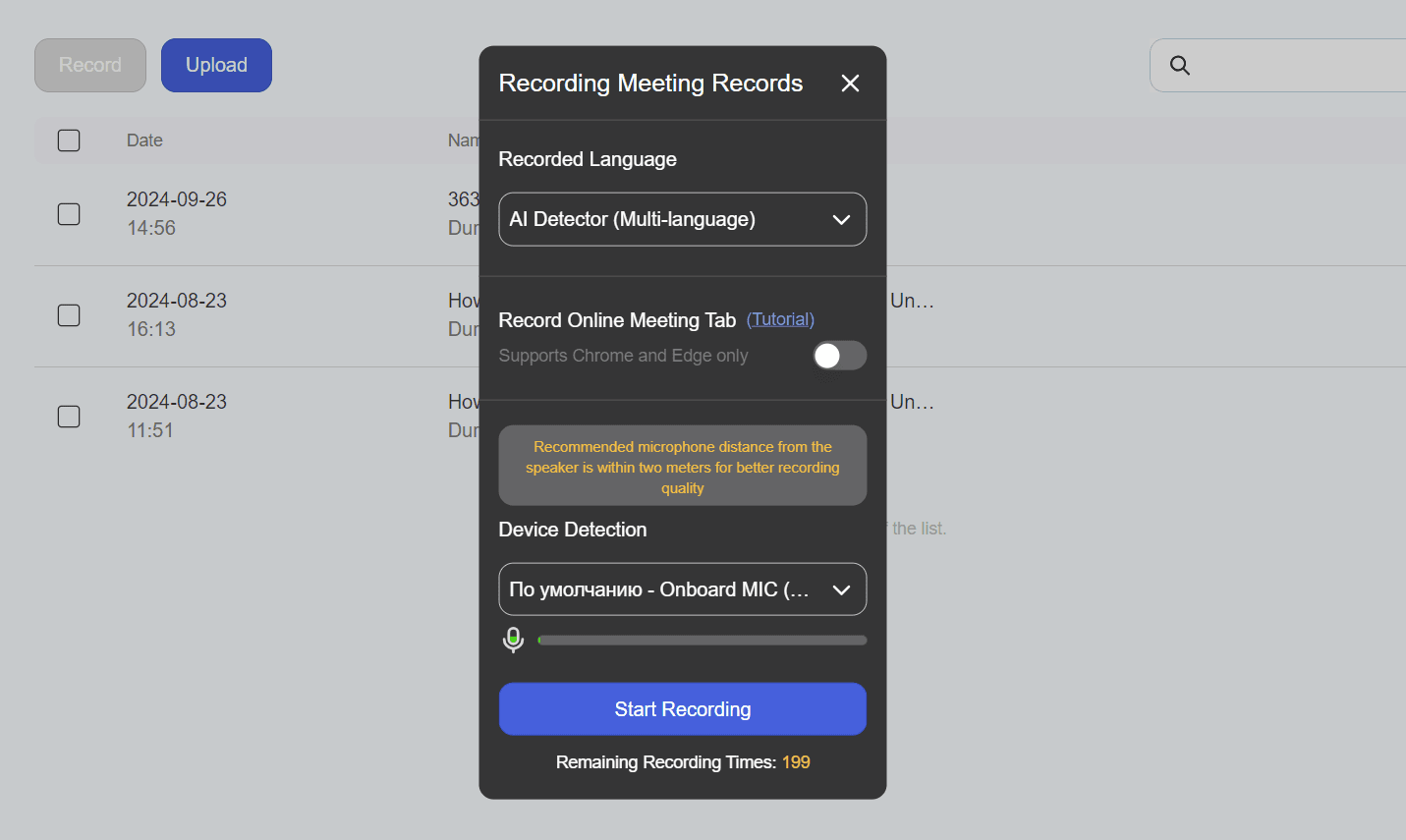
No need to worry about the language! Meeting Ink is equipped with a multi-language AI detector, ensuring accurate transcription in more than 70 languages.
Access the Transcript
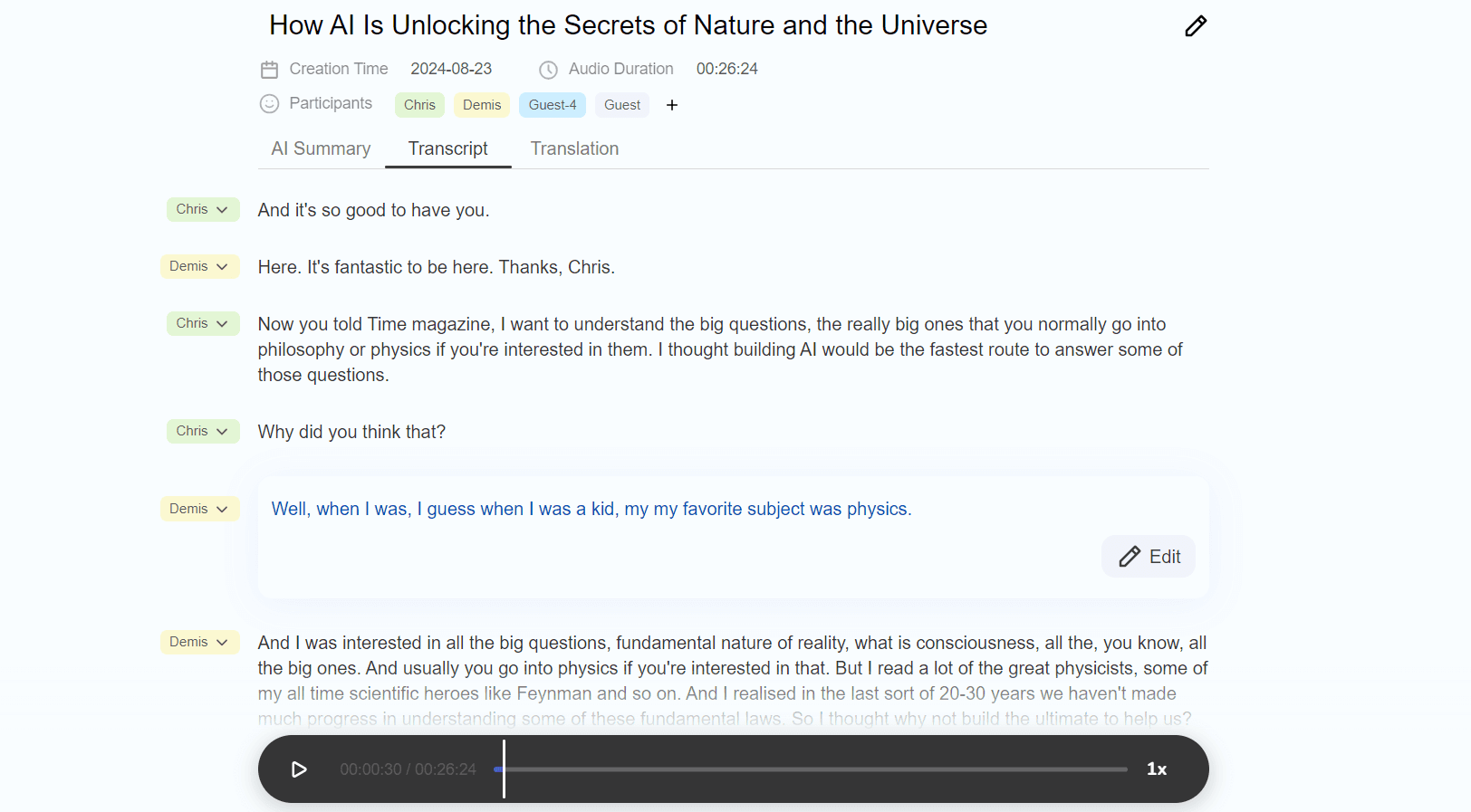
With just a few clicks, you can turn your lecture into text. You can trust the accuracy of the transcription—Meeting Ink’s English transcription accuracy can reach up to 95%. If you need to revisit any unclear sections, the original audio is always accessible, and the editing function allows for easy adjustments. Once the transcript is complete, you can download or share it.
Multiple participants in the lecture? No problem! Thanks to advanced voice recognition, the transcript is automatically divided by speaker, ensuring clarity and avoiding any confusion about who said what. The speaker names can be assigned directly within the platform.
Extract Essential Insights with AI Summary
Lectures or whole-day classes can stretch on for hours, and the vast amount of information can quickly become overwhelming. To streamline your review process and save time, Meeting Ink offers a customized AI summary function that extracts the most relevant points. This feature provides three distinct optimization options:
- Role-based – Tailor the summary to focus on information relevant to your specific role.
- Purpose-based – Optimize the summary based on the goal of your report.
- Speaker-based – Extract key points from a specific speaker. This is particularly useful in multi-participant lectures where you only need insights from a particular lecturer.
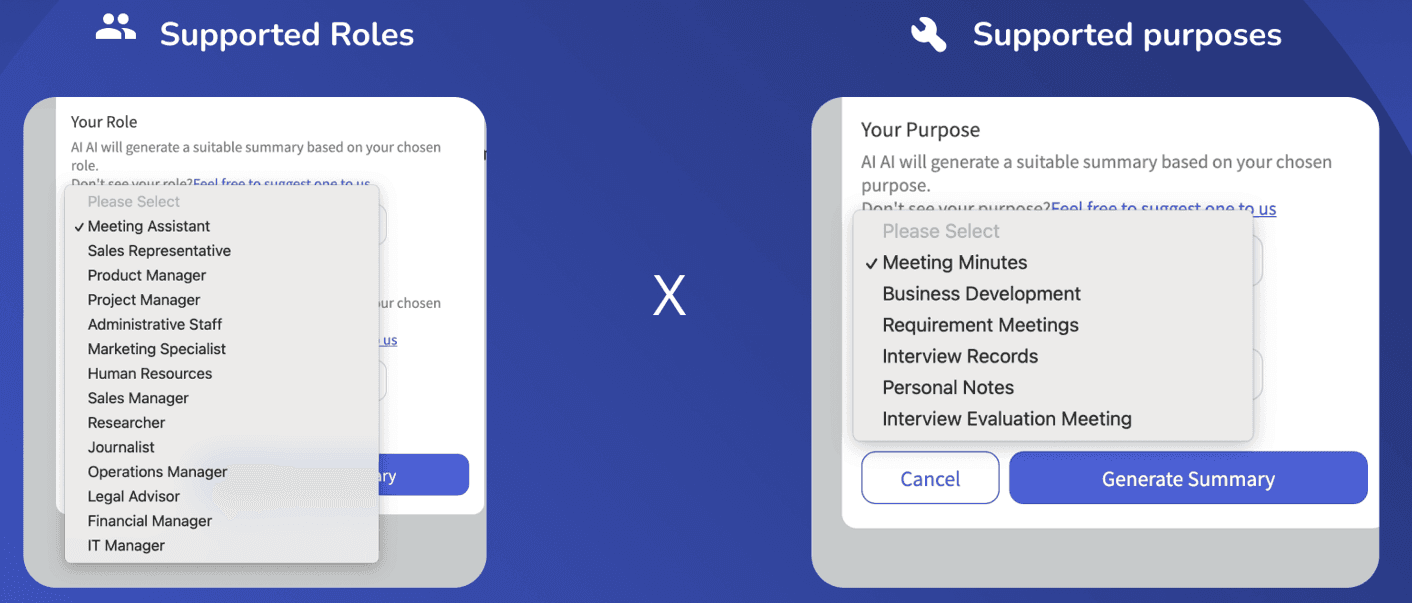
For learning purposes, we recommend choosing the Researcher role and one of the following purposes:
- Meeting Minutes – A general summary that highlights the main topics and decisions.
- Personal Notes – A more focused summary designed to capture the key points and themes discussed.
These options not only help you manage overwhelming amounts of content but also ensure you're getting the insights most relevant to your study goals.
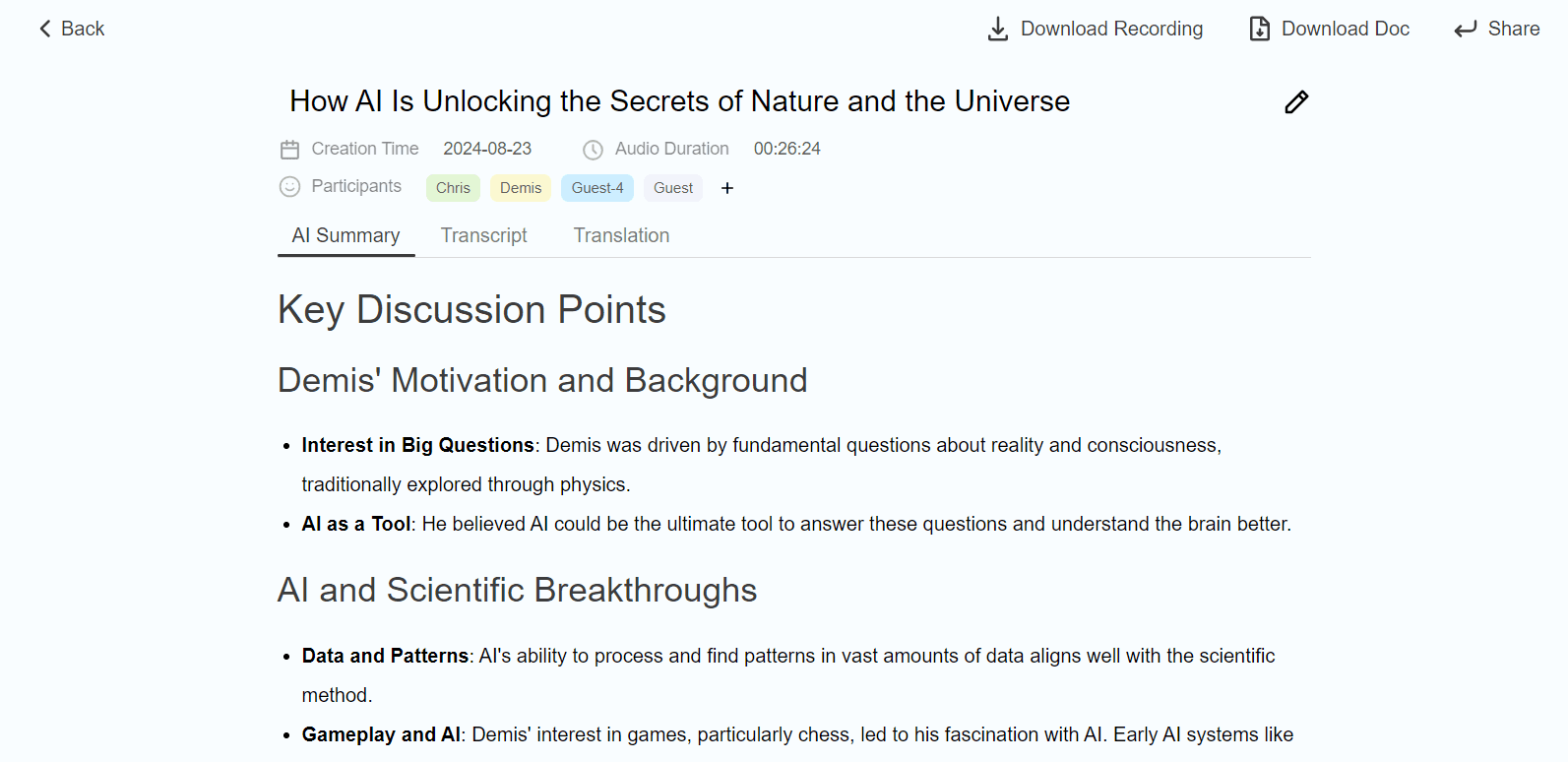
Meeting Ink allows you to generate a summary in a language different from the original lecture, making it easier to review the content in your preferred language. Once created, the summary can be easily downloaded or shared with others.
Translate the Transcript if Needed
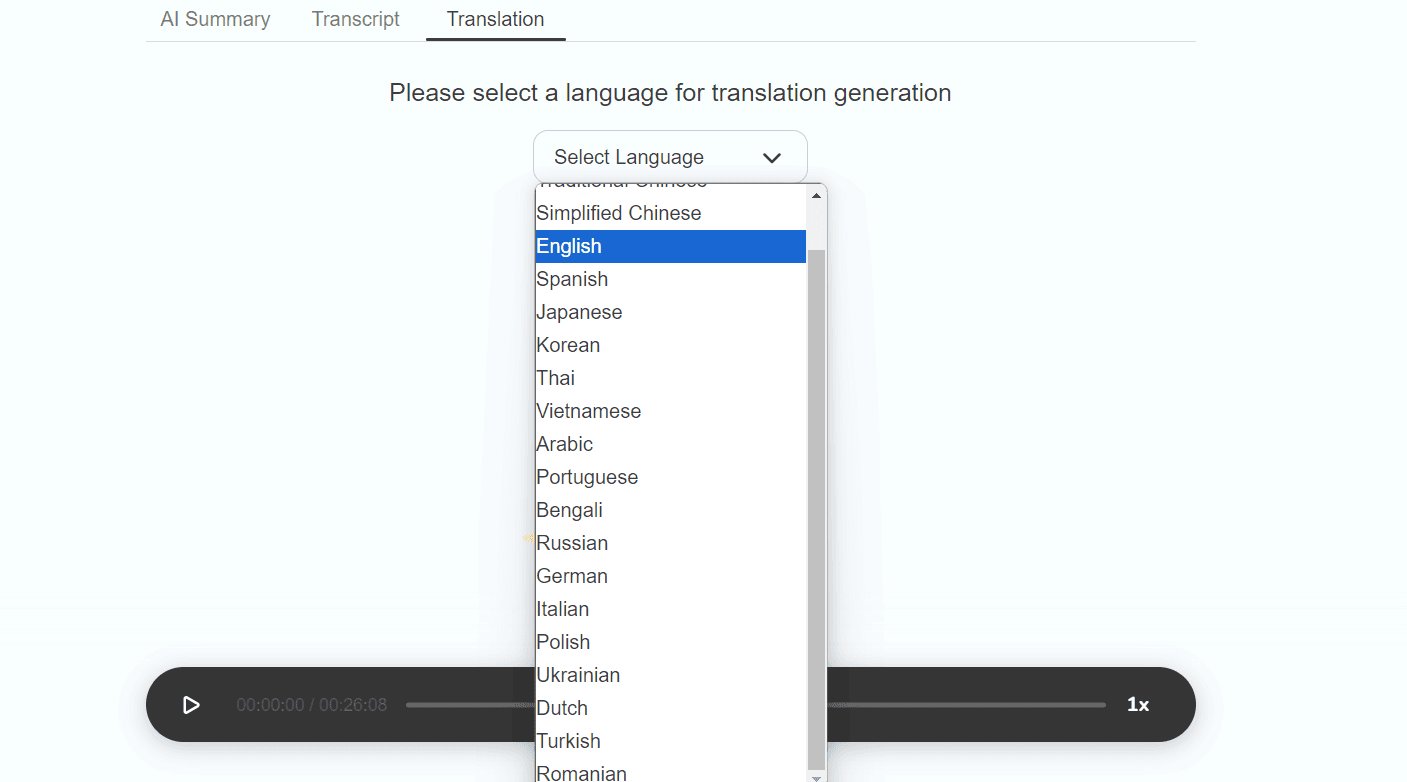
If your lecture is in a foreign language, Meeting Ink’s translation feature allows you to easily convert the transcription into your preferred language. With support for over 20 languages, you can ensure that the content is accessible and understandable, regardless of the original language of the lecture. This feature enables students to effectively navigate multilingual environments and provides easier access to educational materials from sources around the world.
In Conclusion
Meeting Ink is an essential tool for educational purposes, capable of transcribing offline and online lectures, summarizing key points with customizable AI options, and translating content. Its versatile features make it invaluable for efficiently managing and understanding diverse educational materials.

Try Meeting Ink for Free
Experience all core features of Meeting Ink to make your meetings more efficient!
Read More
7 AI Meeting Assistant Tools Comparison: Fastest Transcription and Summary

Your Face Is the Password Now: Passkey Sign-In Comes to Meeting Ink

Are You Choosing the Right AI Meeting Notes Tool? 5 Common Misconceptions Debunked