
Are You Choosing the Right AI Meeting Notes Tool? 5 Common Misconceptions Debunked
April 8, 2026The market for AI meeting notes tools is growing fast — and with so many options, it's easy to get lost comparing feature lists. But once you've actually used a few of them, you'll quickly realize that tools that look similar on paper can feel worlds apart in practice.
This article breaks down the five most common blind spots users fall into when selecting an AI meeting recorder — so you can make a smarter, more informed choice before committing.
Misconception 1: “If It Can Transcribe Speech, It’s an AI Meeting Notes Tool”
This is the most common misconception — and the one most likely to leave you disappointed after purchase. Speech-to-text transcription is just the foundation layer of an AI meeting tool, like asking whether a car “has wheels.” What truly impacts your workflow are the capabilities built on top of that:
- Real-time live captions for in-meeting understanding
- Automated extraction of action items and decisions
- Speaker diarization and multilingual translation support
Tools on the market generally fall into two camps: “transcription-first” tools (ideal for legal documentation, journalism, verbatim records) and “meeting-first” tools like Meeting Ink and Otter.ai, which are purpose-built to generate structured meeting summaries and follow-up ready notes.
Ask yourself first: Do I need a verbatim transcript, or do I need actionable, structured meeting notes I can use immediately after the call?
Misconception 2: “Live Captions and Post-Meeting Transcription Are Basically the Same”
They're not — they solve fundamentally different problems.
Real-time live captions solve the problem of “in-the-moment comprehension.” They’re essential for cross-language meetings or participants with hearing needs, letting you catch anything you missed while the conversation is still happening. Post-meeting transcription solves “after-the-fact review” — useful for writing reports or confirming details, but useless for improving what you understood during the meeting itself.
If your work involves international teams, cross-department collaboration, or back-to-back meetings, whether a tool offers live captions will significantly impact the quality of participation. For occasional one-on-one interviews, post-meeting transcription is usually sufficient.
Misconception 3: “Multilingual Support Means Good Translation Quality”
“Supports multiple languages” typically means a tool can recognize or transcribe those languages — it says nothing about translation quality. In real-world use, you need to verify whether the translation reads naturally, whether technical terms are handled correctly, and whether code-switching (e.g., mixing English and Mandarin in the same sentence) is stable.
Some AI meeting transcription tools perform well with Western languages but struggle with Chinese, Taiwanese Mandarin, or regional dialects. Others are optimized for spoken conversation but produce stiff, formal output unsuitable for business reports.
Don’t just count how many languages a tool supports. Test it on the specific language combinations you actually use — especially its handling of industry-specific terminology and jargon.
Misconception 4: “AI-Generated Meeting Summaries Are All the Same”
This misconception may be the one that most quietly kills your productivity. A low-quality AI summary just compresses the conversation into a rambling narrative. A high-quality AI meeting summary automatically separates decisions, action items, key discussion points, and assigns ownership to each attendee.
What’s more, the ideal summary structure varies by meeting type — sales calls, R&D discussions, and project retrospectives each require different formats and highlights. The best tools offer templates or customizable fields to match output to real-world needs.
During your free trial, bring a real meeting recording and run it through the tool. Ask yourself: can this summary go straight into use, or does it need heavy editing every time?
Misconception 5: “The Free Plan Is Good Enough — I’ll Deal with Data Security Later”
For personal notes or non-sensitive content, a free plan may be fine in the short term. But the moment your meetings involve client information, business-sensitive data, research participant privacy, or internal confidential discussions, how your data is handled becomes critical.
Before choosing any AI meeting tool, confirm at minimum:
- Whether the tool uses your meeting content to train AI models
- The server location and whether it complies with your regional data regulations (e.g., GDPR, PDPA)
- Whether data transmission is encrypted and whether you can fully delete your records
- Who has permission to access your meeting recordings
Even if you’re not an enterprise user, always read the privacy policy. If a tool doesn’t make these policies clear, treat that as a red flag.
Before You Choose: Ask Yourself These 3 Questions
No tool is objectively the best — only the best fit for your context. Instead of blindly trial-running ten different AI meeting tools, spend ten minutes answering these questions:
- What is my primary use case? (Team meetings, client calls, interviews, lectures?)
- Do I need real-time assistance, or is post-meeting organization enough?
- Does my meeting content involve sensitive information that requires data compliance?
Answer those three, and the right choice becomes much clearer.
Ready to Find the Right AI Meeting Notes Tool?
Experience Meeting Ink’s full feature set, or schedule a personalized demo with our team to find the plan that fits your workflow best.
Contact Us
We’re constantly improving Meeting Ink’s performance and building new features to help you get more out of every meeting. Stay tuned for updates!
Have feedback or suggestions? We’d love to hear from you:
- Email: service@dwave.cc
Facebook Messenger: Click here

Essai gratuit de Meeting Ink
Découvrez toutes les fonctionnalités clés de Meeting Ink et rendez vos réunions encore plus efficaces !
En savoir plus
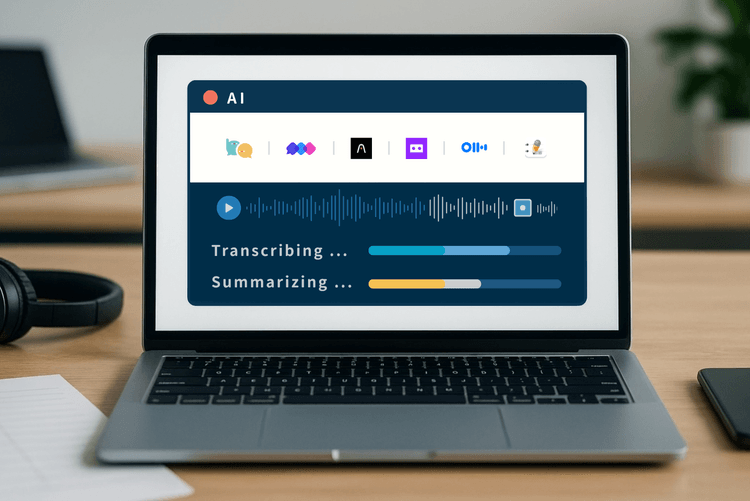
7 AI Meeting Assistant Tools Comparison: Fastest Transcription and Summary

Your Face Is the Password Now: Passkey Sign-In Comes to Meeting Ink

Are Google Meet’s Live Captions Not Enough? A Comparison Guide to Meeting Ink’s Cross-Platform Real-Time Translation and Meeting Transcription